
Saturday, July 9, 2011

Sunday, July 3, 2011

Wednesday, June 29, 2011


Friday, June 24, 2011

Sunday, June 19, 2011
Photoshop composites
I took an online class last week on PS composites and these are a few I have been working on using my old photos.


Plum Island Pictures
I went fishing for the first time on Plum Island yesterday and caught my first striper. It wasn't a keeper (must be 28" or larger) but it was still a lot of fun.

Here are a couple more pictures from yesterday.


Here are a couple more pictures from yesterday.


I just couldn't help myself...

Sunday, February 13, 2011
Beginner Adjustments for contrast
Step one :
control J to duplicate your layer.

I like to use the high pass filter to sharpen my image. Especially one with all this fur.

These are the settings I used for this photo. It is a smaller file so your settings could vary.

Next I set the layer mode to Overlay and merged the layer down.

Next I made a curves adjustment. This is an S shaped adjustment to kick up the contrast.
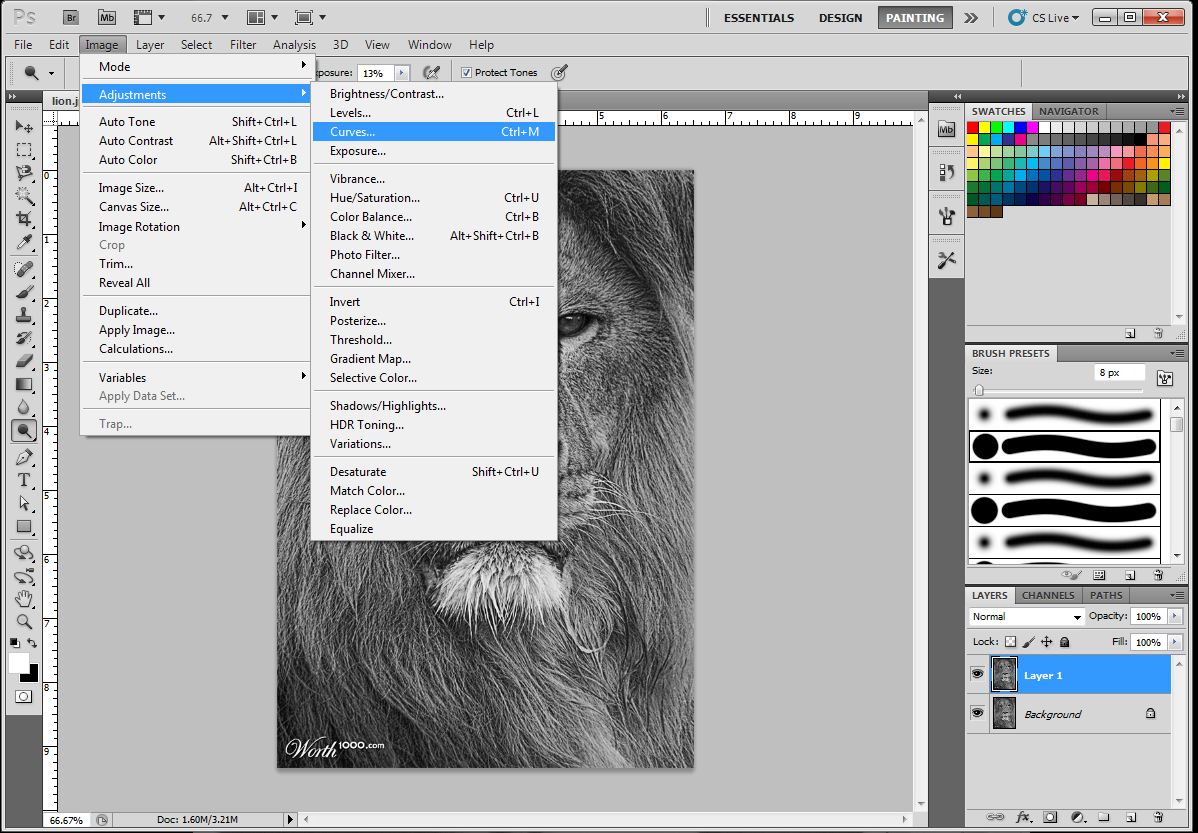
here are the settings I used

Next I went to selective color

and adjusted the black and white settings.


This is an exaggerated adjustment for demonstration purposes and about all you can do in Beginner.
Now for an advanced contest you can add the dodge and burn tools. Here I dodged out some more highlights (in the eyes and fur) and burned as well. (eyes, fur and created a slight vignette to bring the eye more into the center of the image.)

Subscribe to:
Posts (Atom)